


Kenyan Visa
GETTING YOUR KENYA ELECTRONIC TRAVEL AUTHORISATION (ETA)
Since the 1st January 2024 the online application for a Kenyan Visa has changed to an online application for a Kenya Electronic Travel Authorisation or eTA. An eTA is required for entry into Kenya and the Government of Kenya has an online eTA application portal to allow visitors to apply and pay for their eTA online before they travel to Kenya.
Citizens of the Kenya and East African Partner States are exempt from completing the eTA. The East African Partner State countries include Burundi, Democratic Republic of Congo, Rwanda, South Sudan, Tanzania and Uganda, and are exempted for six (6) months.
NB: You can not get an electronic travel authorisation on arrival in Kenya, you must get an eTA before arriving in Kenya.
Main points;
- They try to review and issue eTA’s within 72 hours, if you apply over a weekend then it may take longer
- Once it has been issued the eTA is valid for three months (therefore applications should be submitted no earlier than 3 months before you plan to depart from Kenya)
- The current fee is roughly US $30 and you pay online with a credit / debit card (around $32-$35 with card processing fees applied)
- An additional US $44 (around $48-$52 with card processing fees applied) is paid during the process for the mandatory Kenyan Government travel insurance policy introduced in October 2026 (you are paying in US Dollars so if you’re paying with a Sterling or Euro credit / debit card expect there to be an additional transaction fee charged by your card issuer)
- When making the application you will need to have your passport, flight details and accommodation booking confirmation to hand
- Your passport must be valid for at least 6 months and have at least 2 x blank pages
Documents that will need to be uploaded during the eTA application;
- Passport sized photo (no bigger than 500 x 500 pixels) in jpeg format
- Photo or scan of your passport’s bio-data page in jpeg format (the passport page that has your photo on it)
- Accommodation Booking Confirmation (contact the office before making an application and we’ll provide a pdf letter confirming your itinerary)
- Airline Booking Confirmation (pdf of your confirmed flight itinerary)
STEP BY STEP ETA APPLICATION PROCESS
- Click on Kenya Electronic Travel Authorisation link
- Click ‘Apply Now’ button
- Click ‘Tourists & Visitors’ button for a tourist eTA
- Click ‘Continue’ button and read and agree to the Declaration of Consent
- Click either the ‘Individual’ or ‘Group’ application (Group applications are for a group of up to six travellers that share the same country of residence, same purpose of visit to Kenya and same travel and accommodation for the entire time in Kenya)
- Select your country of residence
- Complete the ‘Passport Information’ page by uploading a photo or scan of the page of your passport with the photo on it (bio-data page), review your name, passport number, date of birth and expiry date and ‘continue’
- Upload a passport photo or take a selfie with a webcam and complete the traveller information section and the customs declaration
- Complete the ‘Contact Information’ section (phone number, email, address, occupation and emergency contact)
- Complete the ‘Trip Information’ section, including reason for travel (in most cases this will be tourism), flight information and places of stay (get this information from the Accommodation Booking Confirmation that you get from us) and ‘continue’
- Complete the ‘Customs Declaration’
- Upload the required documents – Airline Booking Confirmation and Accommodation Booking Confirmation (provided by Adventure Alternative)
- Just before you reach the final submission button, the portal loads a mandatory travel insurance page where you will be prompted to purchase the policy via an integrated link. The portal must successfully detect a paid local policy linked to your passport before it allows you to submit the application (alternatively, you can pre-buy the mandatory Kenya Government travel insurance policy before starting the eTA by following the step by step instructions at the bottom of this page)
- Confirm and proceed by digitally signing the application
- At the payment section select ‘Standard’ on the ‘single entry’ box and complete application
- Pay securely using your debit or credit card (Visa or Mastercard)
- Await approval via email (email will have your Kenya eTA attached)
- Print your Electronic Travel Authorisation, it MUST be printed in colour
- Present your printed eTA to the immigration officer at the port of entry
You must carry a printed copy of your eTA to Kenya, failure to bring a hard copy could in difficulties and long delays on arrival in Kenya, in our experience immigration in Kenya has no way of checking online and will not accept a screenshot on your phone as proof.
NB: Pre-Buying Alternative for the mandatory Kenya Government travel insurance (Recommended)
Because the eTA application portal occasionally suffers from technical glitches or payment failures on the final insurance step, the Kenyan government officially allows you to complete this in a different order;
Step 1: Go directly to the official eCitizen Insurance Portal before starting your eTA application
Step 2: Purchase the visitor policy there using your passport number. Take a screenshot showing your status as “Valid” and note your insurance reference number
Step 3: Open the Official Kenya eTA Portal and begin your visa application.
Step 4: When you hit the final stage, the eTA system will automatically recognize your passport number and detect that a valid policy has already been pre-paid, allowing you to breeze right past the block to final submission
Book Your Adventure of a Lifetime Now
Discover our trips to other Countries
Adventure Alternative Articles
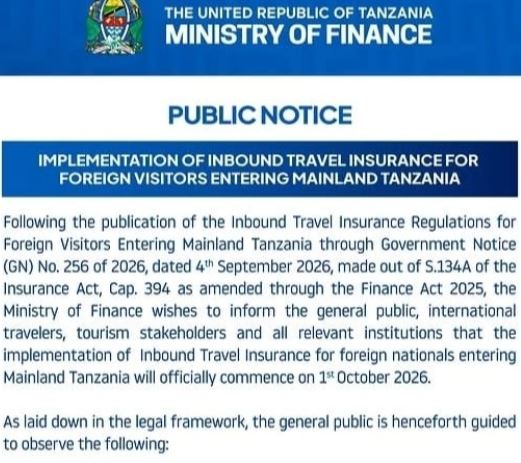
Tanzania – Introduces Mandatory Travel Insurance (NIC)
Do I need to buy a special Travel Insurance policy to enter Tanzania? In short yes, from the 1st October 2026 all visitors to mainland Tanzania...
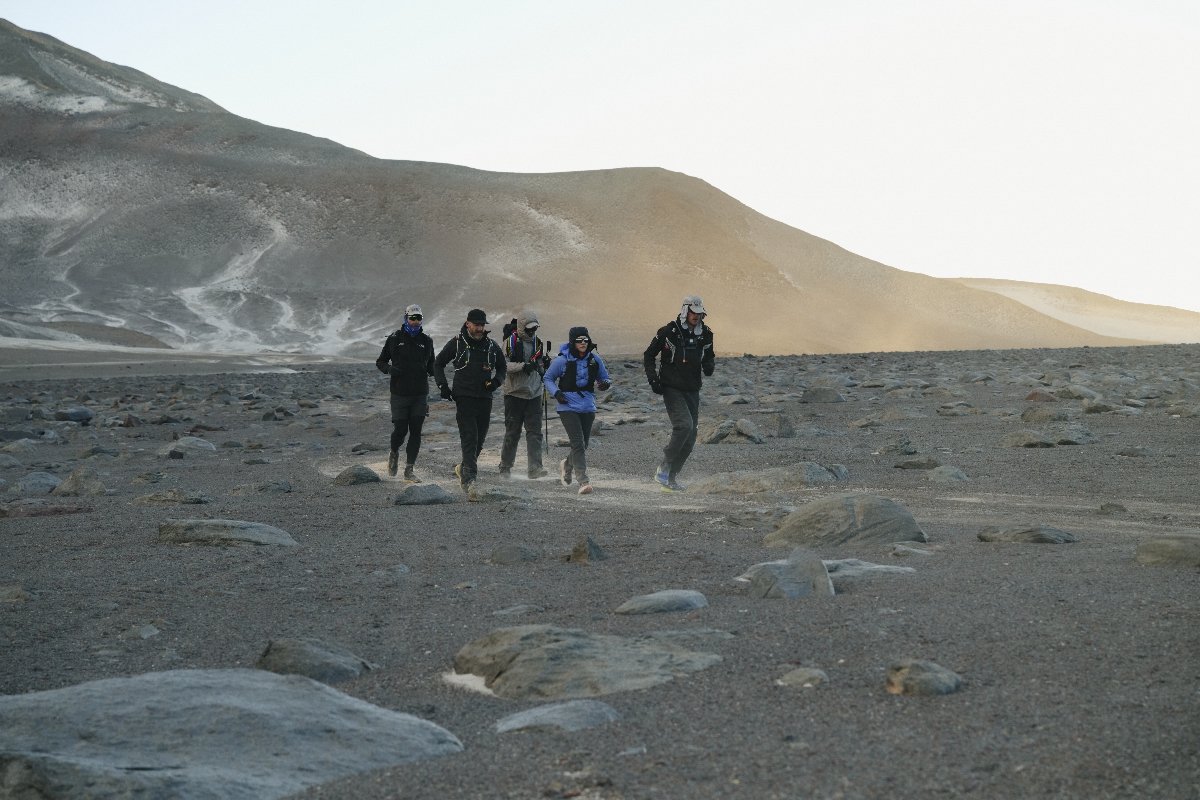
World’s Highest Marathon, Ojos del Salado, Chile
February 2026...after months of planning and organising with BecomingX and our partners High Mountain, we set off to the remote Atacama Desert...

World Mountain Day
Climbing Calendar Ready for World Mountain Day In celebration of World Mountain Day, we've created a calendar for the year to make it easy for...